Running Labor Distribution in WiseCost
Run labor distribution in WiseCost: pick a payroll period, review each employee's pay and hours, and post one journal entry to QuickBooks Online.
To run labor distribution in WiseCost, open Labor Distribution, choose a payroll period that is ready, review each employee's hours and pay, and click Post Journal Entry. WiseCost allocates each employee's pay across the classes or projects they worked on and posts a single journal entry to QuickBooks Online. One period takes a few minutes.
Who can do this: an Administrator.
What labor distribution is
Labor distribution is the process that converts approved timesheet hours plus pay into labor cost per contract, grant or indirect account, and records it in the general ledger. It is how an hour worked becomes a cost on a contract. For government contractors it supports labor charges under DCAA review. For nonprofits and grant recipients it is how salaries charged to a federal award follow the actual effort recorded, as 2 CFR 200.430 expects.
Before you start
- The period's timesheets are approved. See Approving and rejecting timesheets.
- Every employee has pay configured in Company Setup → Employees (pay per period or an hourly rate), or you will import the period's real payroll in step 2.
- QuickBooks Online is connected, and the Default credit account in Company Setup → Company settings → General is the one you want.
1. Setup & Check
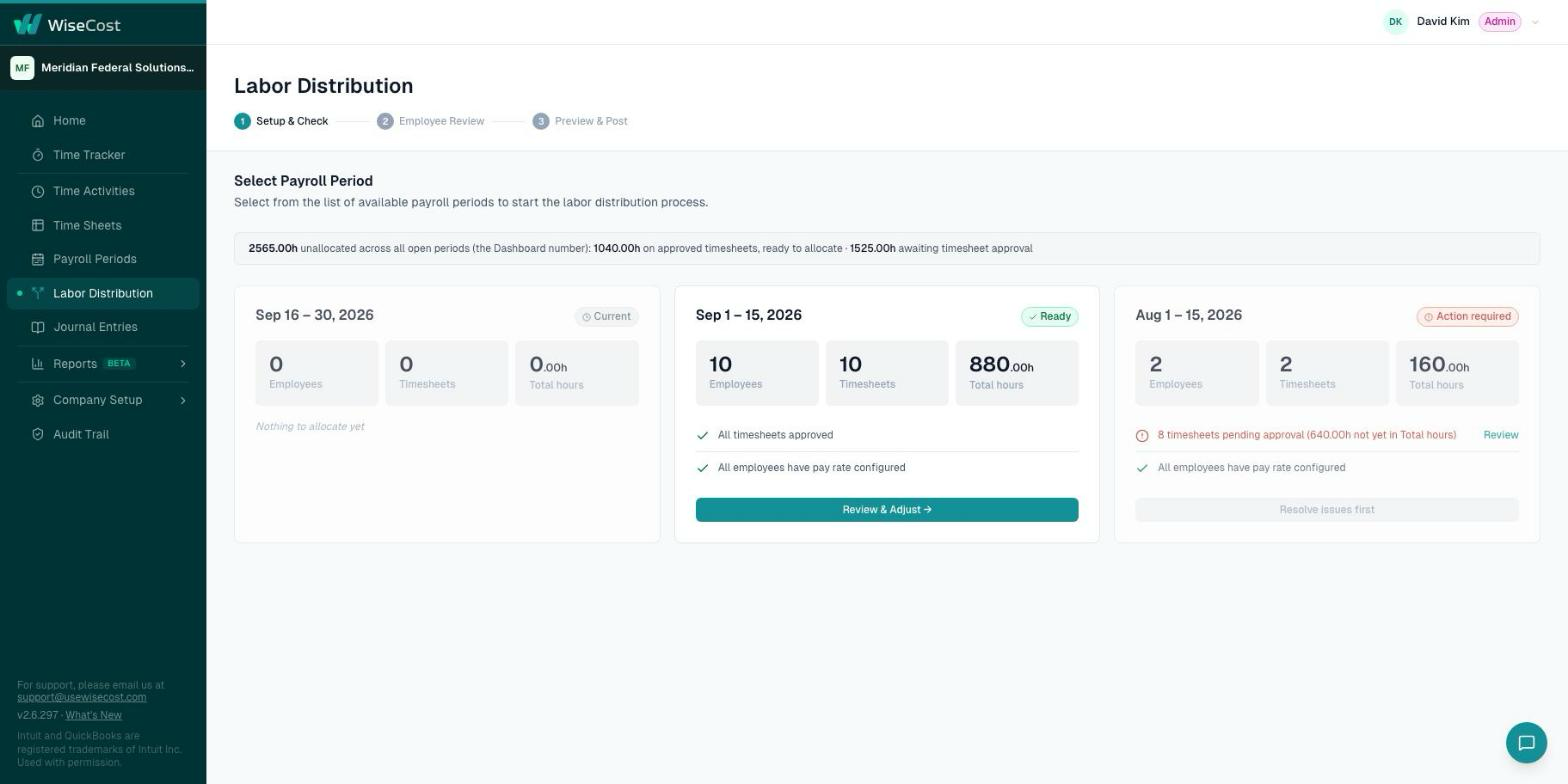
- Open Labor Distribution. Each payroll period shows its employees, timesheets and total hours, and a health check.
- Look for the period marked Ready: all timesheets approved and all employees with a pay rate configured. A period marked Action required tells you what is pending, for example timesheets waiting for approval.
- On the ready period, click Review & Adjust.
2. Review each employee's pay
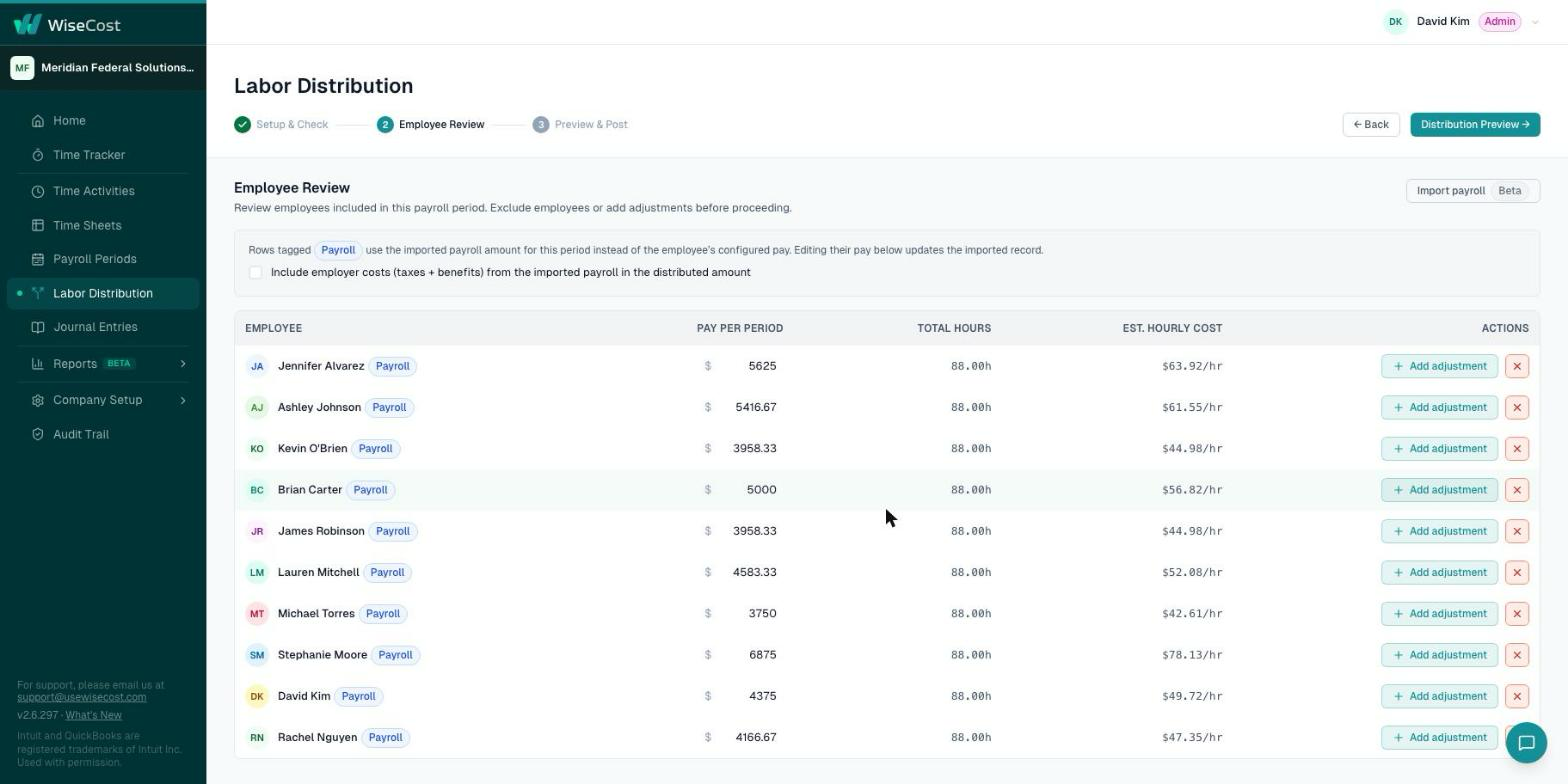
The Employee Review step lists every employee in the period with their pay per period, total hours and estimated hourly cost.
- Check each row. The cost comes from the employee's pay per period or hourly rate.
- Optional: click Import payroll to use the real payroll of the period from Gusto, ADP or Paychex. See Importing payroll from Gusto, ADP or Paychex.
- Optional: click Add adjustment on a row, or exclude an employee from this run with the remove button on their row. See Employer taxes, benefits and adjustments.
- Click Distribution Preview.
3. Preview & Post
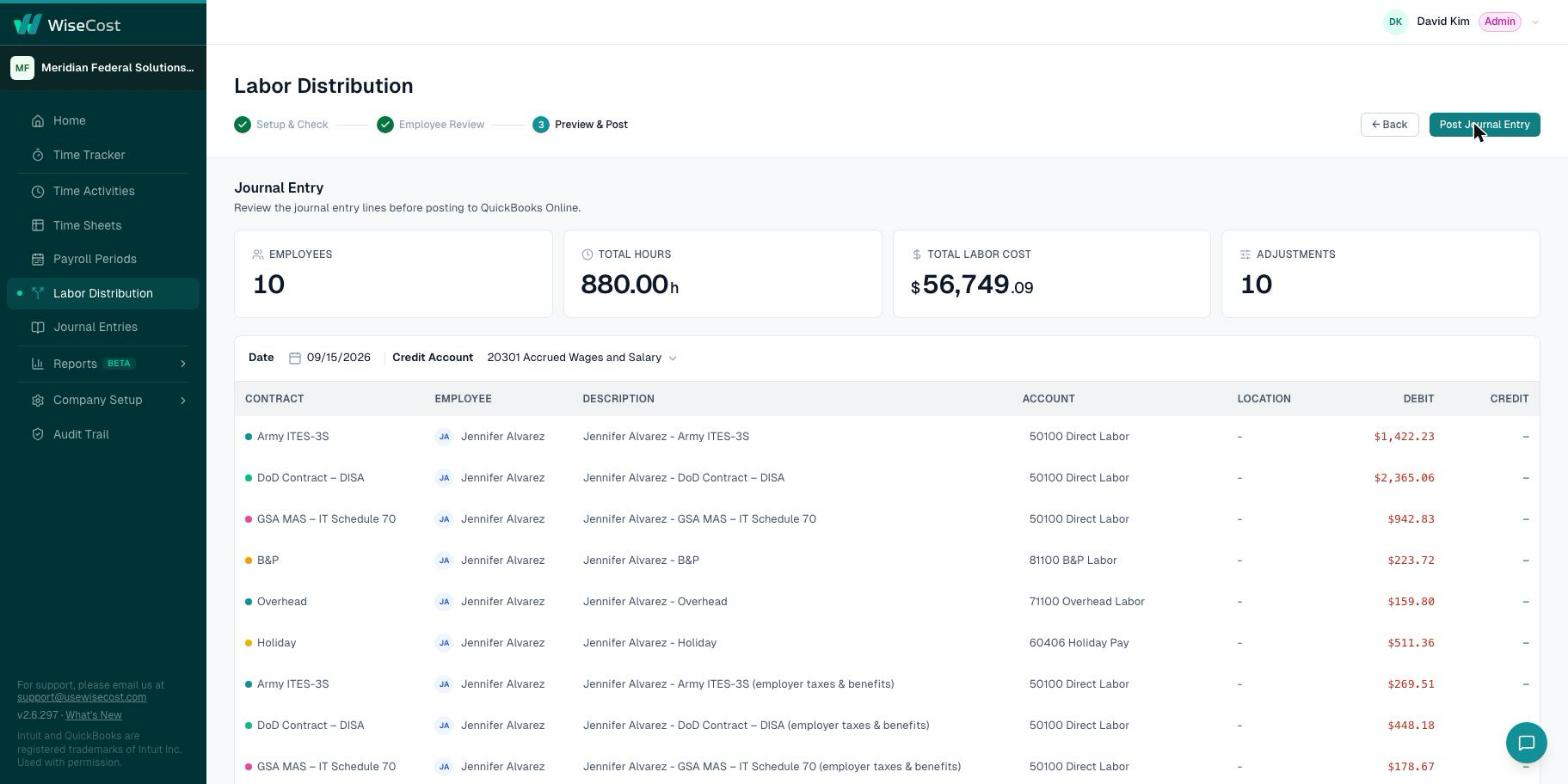
The Preview & Post step shows the journal entry line by line before anything is sent: contract, employee, account, location, debit and credit.
- Review the lines, the Date and the Credit Account.
- Click Post Journal Entry.
What happens next
WiseCost confirms that the journal entry was posted to QuickBooks Online. The payroll period becomes Posted and its timesheets become Locked.
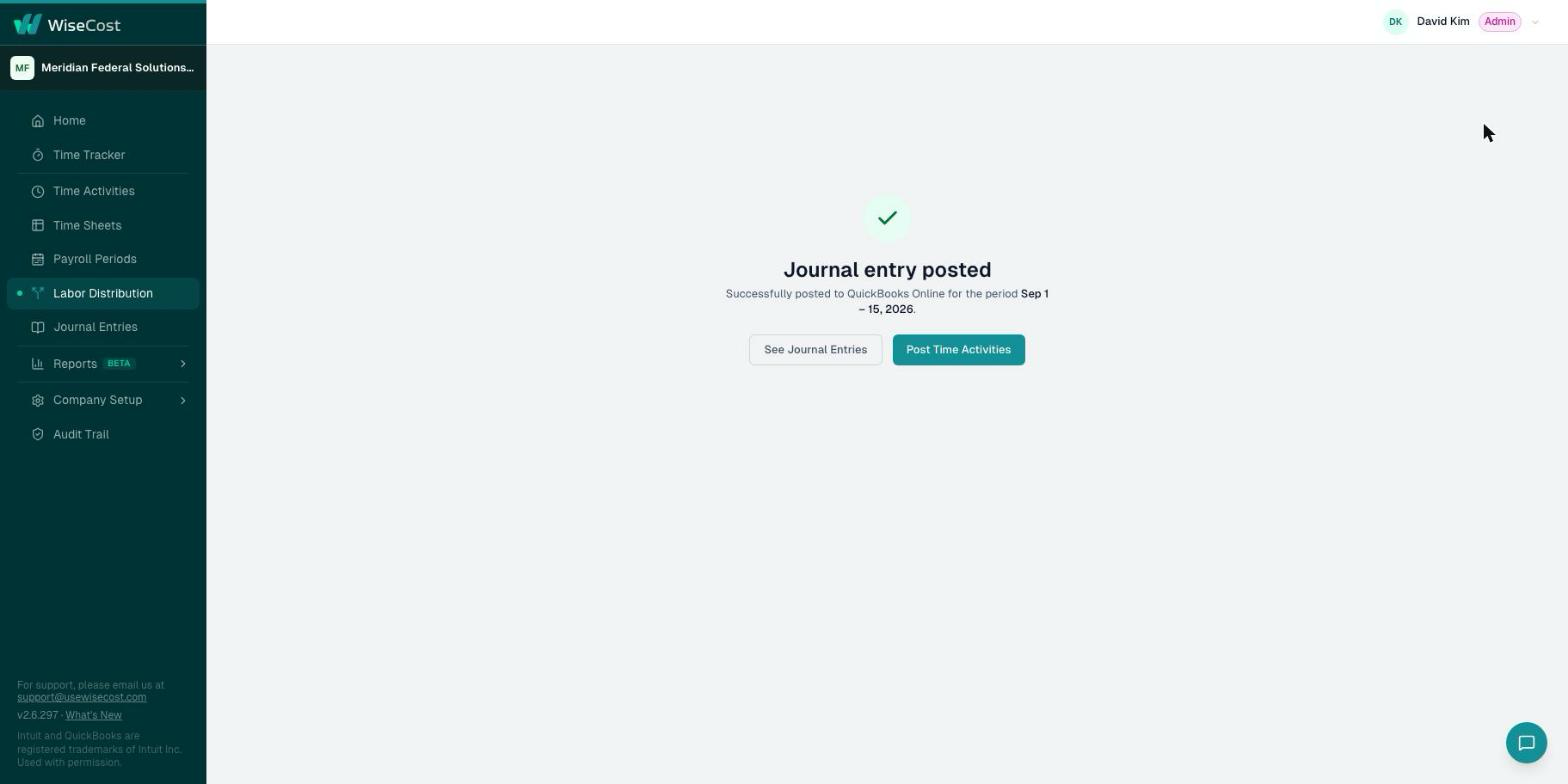
- The entry and its lines are in Journal Entries. See Journal entries and reversals.
- The Labor Distribution report reads from the posted entries, so it matches QuickBooks Online.
- A period that crosses two months posts one journal entry per month.
How the numbers are calculated
- Each employee's pay for the period is spread across what they worked on, in proportion to their hours.
- Amounts are rounded to the cent, and the rounding difference is applied to the employee's largest line, so each employee's total is exact.
- One credit line balances the entry against your credit account.
- If your company uses Locations, each line is posted with its QuickBooks Location.
Undo it
If you find a mistake after posting, reopen the period. WiseCost never deletes the entry: it posts a reversal to QuickBooks Online, and you run the distribution again. See Reopening a payroll period or timesheet.
Common questions
How do I do labor distribution in QuickBooks Online?
QuickBooks Online has no labor distribution of its own. With WiseCost connected, you approve the period's timesheets, open Labor Distribution, review pay and hours, and post one journal entry to QuickBooks Online that charges each contract its share of labor cost.
Does WiseCost post to QuickBooks Online automatically?
No. Nothing is posted until you review the preview and click Post Journal Entry.
Why is a period marked Action required?
Something is pending, usually timesheets that are not approved yet or an employee with no pay configured. The card tells you which.
What if a payroll period covers two months?
WiseCost posts one journal entry per month, so each month's labor cost lands in the right accounting period.
Further reading from the WiseCost blog
Labor Distribution for Government Contractors: How It Works and Why It Matters
Labor distribution converts approved timesheet hours into contract charges and journal entries. Here's the mechanics — rates, rounding, reconciliation — and why it matters.
Reviewed by a CPA
Labor Distribution in QuickBooks: Spreadsheet vs. Add-On vs. ERP
If you run on QuickBooks Online, you have three ways to handle DCAA labor distribution: a spreadsheet, a generic add-on, or a full ERP. Here's how they compare — and what to actually look for.