Reopening a payroll period or timesheet
Correct a timesheet after approval in WiseCost: reopen it, or reopen the posted payroll period first, which posts a reversal entry to QuickBooks Online.
To correct a timesheet after it was approved in WiseCost, reopen it from Time Sheets. If Labor Distribution already posted the period, the timesheet is Locked: reopen the payroll period first in Payroll Periods, choosing Re-open with Reversal so the correction stays visible in QuickBooks Online, then reopen the timesheet. Every step stays in the Audit Trail.
Who can do this: whoever can approve a timesheet can reopen it. Reopening a payroll period is for Administrators.
The same steps in writing:
Fixing mistakes is normal. What matters to an auditor is that corrections leave a trace, and WiseCost handles that automatically. What you need to reopen depends on the timesheet's status.
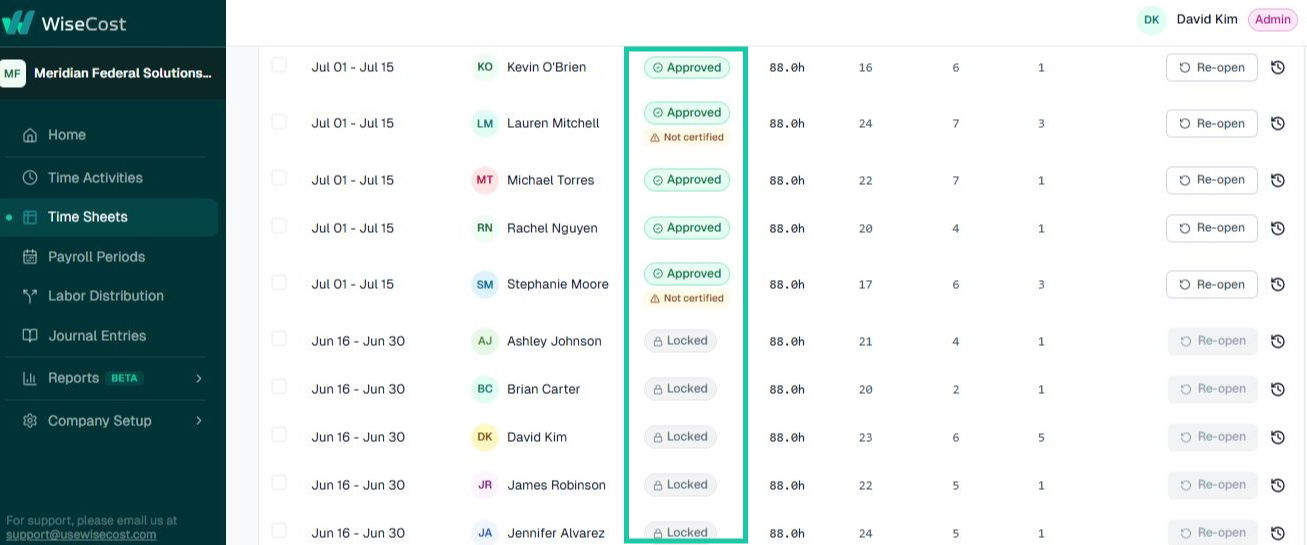
If the timesheet is Approved
If labor distribution hasn't been run for that period yet, you can reopen it directly with Re-open. Whoever can approve that timesheet can reopen it. The employee edits their entries and resubmits, and the original submission and the changes remain in the Audit Trail.
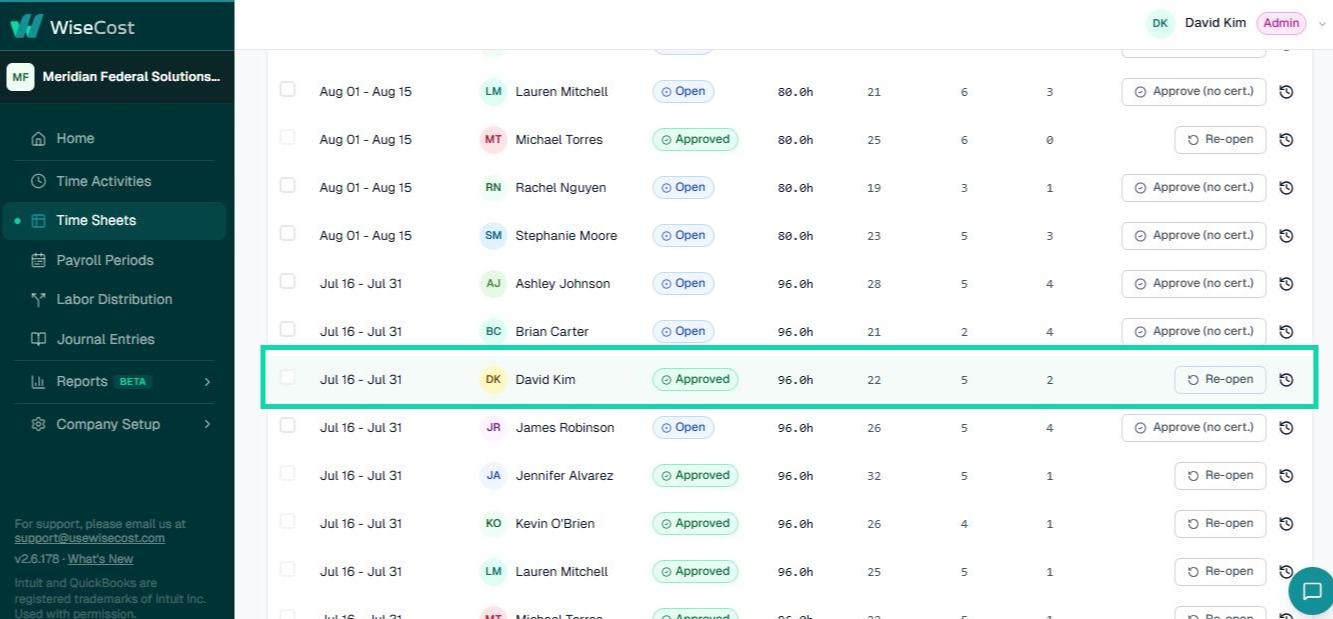
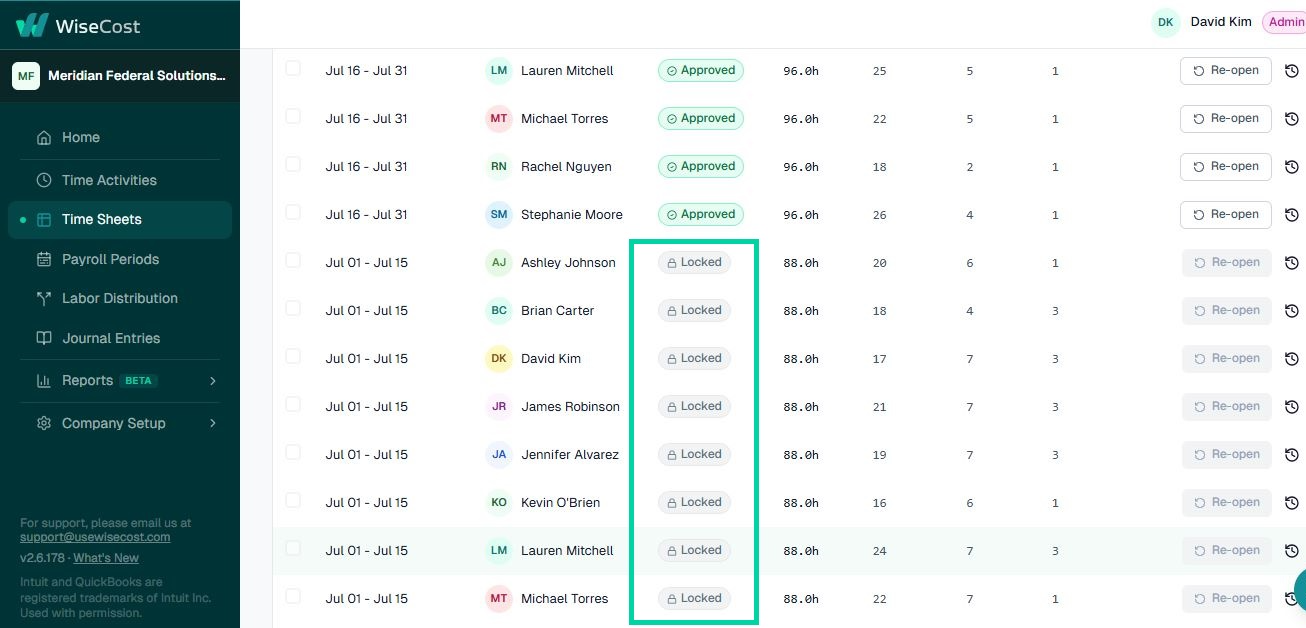
If the timesheet is Locked
This means labor distribution was already run for that period, so you'll need to reopen the payroll period first:
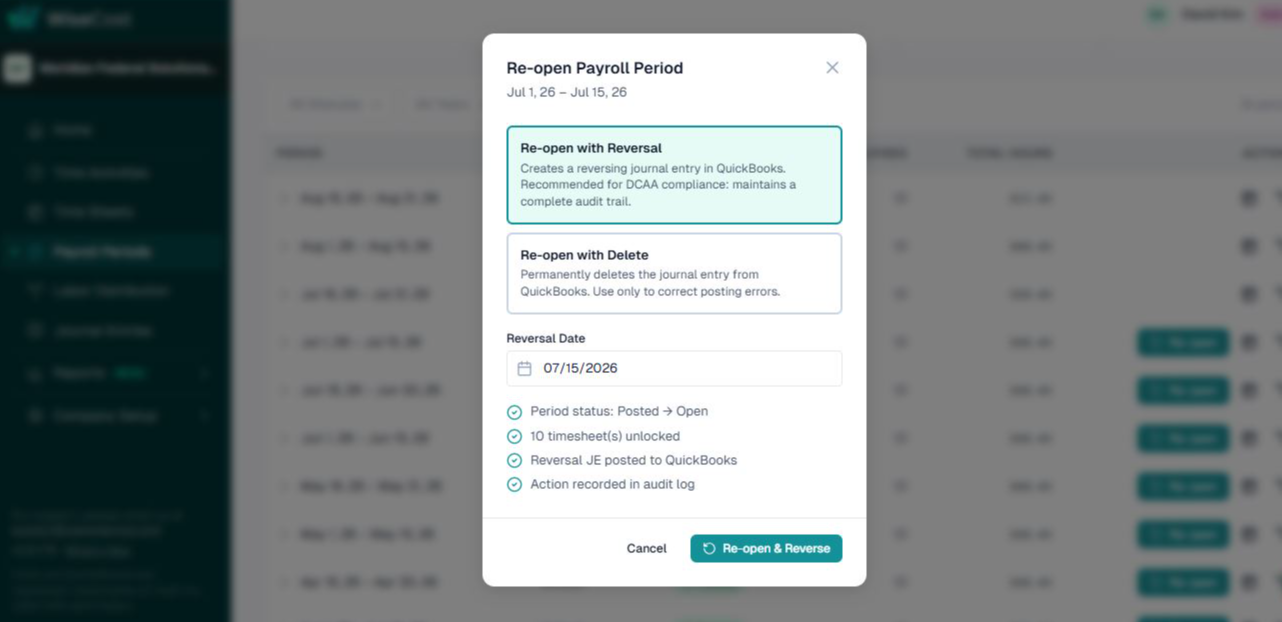
1. Reopen the payroll period
Go to Payroll Periods, find the posted period and click Re-open. The dialog offers two ways to do it:
- Re-open with Reversal (recommended). WiseCost posts a reversal journal entry to QuickBooks Online, dated on the Reversal Date you choose. The period goes back to Open and its timesheets are unlocked. The original entry, the reversal and, later, the corrected entry all stay visible in QuickBooks Online, which is the history an auditor expects to see. This is the DCAA-compliant choice: it keeps a complete audit trail.
- Re-open with Delete. Permanently deletes the journal entry from QuickBooks Online instead of reversing it. Use this only to correct a posting error (for example, an entry posted to the wrong period by mistake), never as your normal way to fix a timesheet: once deleted, that entry is gone from QuickBooks Online, which is not what an auditor expects to see.
Either way, the period status changes from Posted to Open, the affected timesheets unlock, and the action is recorded in the Audit Trail.
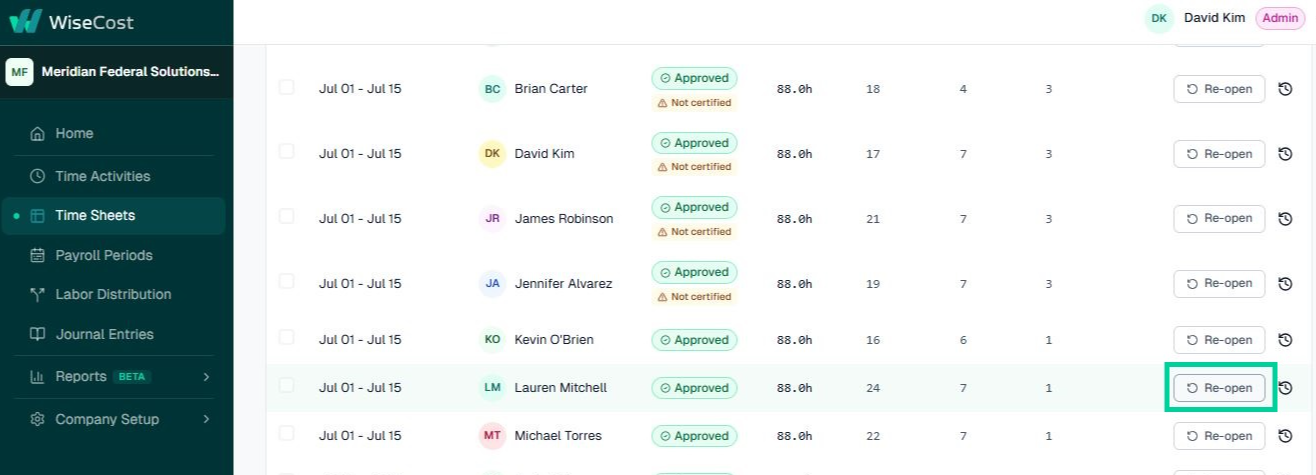
2. Reopen the specific timesheet
With the period reopened, reopen the timesheet that needs changes. The employee edits and resubmits.
3. Re-run labor distribution
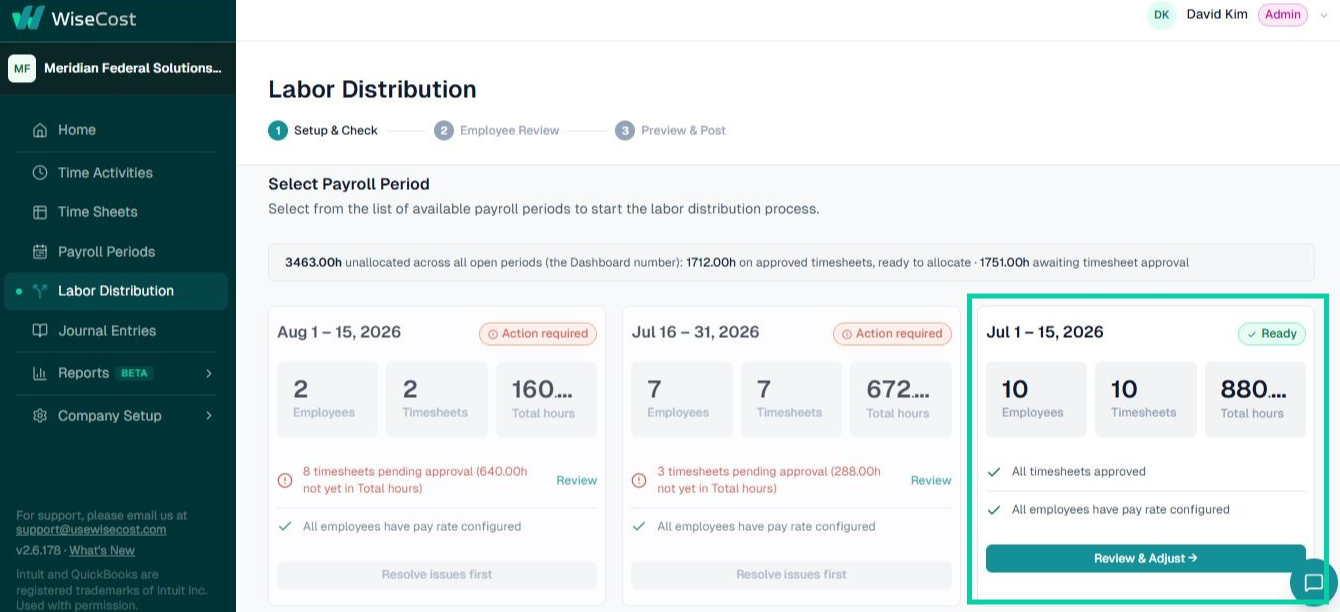
Once the corrected timesheet is approved again, run the distribution and the new entries post to QuickBooks.
Review the posted journal entries
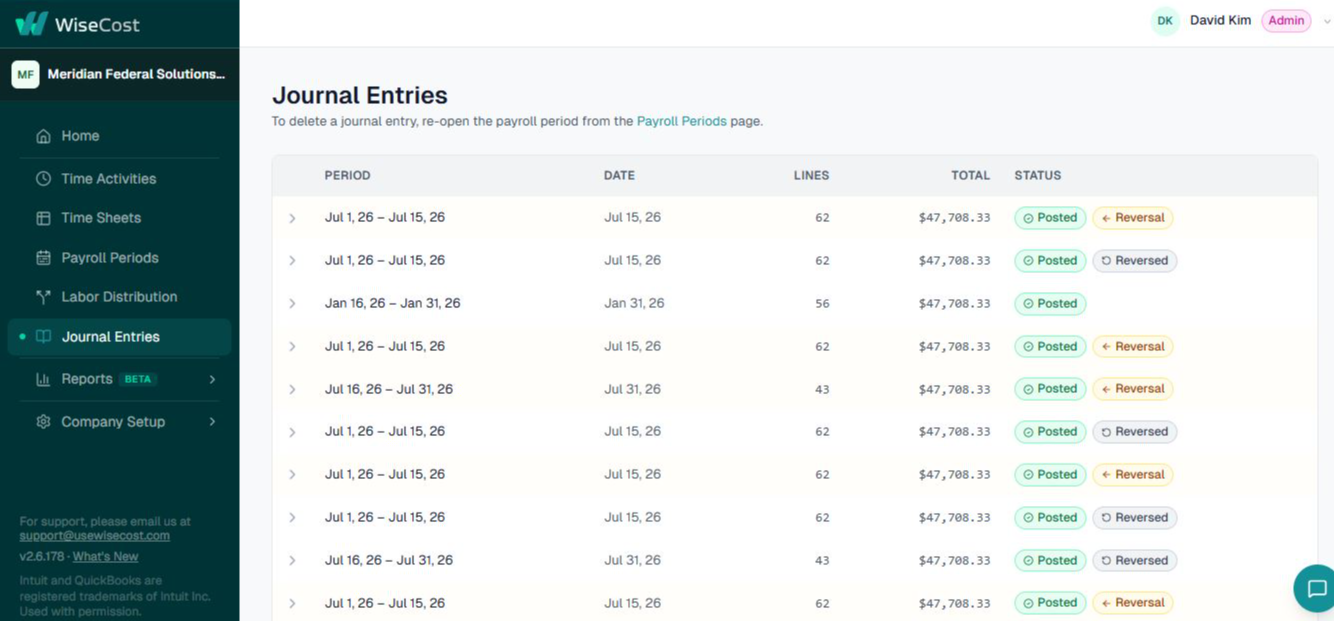
You can review every posted entry (original, reversal, and corrected) in the Journal Entries section. That's the full, auditable history DCAA expects, and you never need to touch a journal entry manually in QuickBooks.
Common questions
What happens to the journal entry if I reopen a posted period?
It depends on which option you choose. Re-open with Reversal (recommended) keeps the original entry and posts a reversal next to it; when you run Labor Distribution again it posts a new, corrected entry, so the full history stays in QuickBooks Online. Re-open with Delete removes the original entry instead: use it only to correct a posting error, since the deleted entry no longer appears in QuickBooks Online.
Can I fix a timesheet after it was approved?
Yes. If the period is not posted, reopen the timesheet. If it is posted, reopen the payroll period first, then the timesheet.
Who can reopen a timesheet?
Anyone who can approve it: admins, and the employee's approver or backup approver. The reopening stays in the timesheet's history.
Do I need to edit anything in QuickBooks Online by hand?
No. The reversal and the corrected entry are posted by WiseCost.
Further reading from the WiseCost blog
5 DCAA Compliance Mistakes That Small Contractors Keep Making
The same DCAA compliance mistakes appear in CPA practices repeatedly. Five preventable issues — and how to fix each one before they become audit findings.
Reviewed by a CPA
How We Made Labor Distribution in QuickBooks Audit-Ready, and Why We Filed a Patent
WiseCost filed a provisional patent on its QuickBooks Online labor distribution method. Here's what the method does, and why it holds up when an auditor starts asking questions.