Payroll frequencies and periods
Set a weekly, biweekly, semimonthly or monthly payroll frequency in WiseCost. It generates the payroll periods, and its start date is fixed once saved.
Payroll frequencies define the payroll periods WiseCost uses for timesheets and Labor Distribution. Set them in Company Setup → Company settings → Payroll: choose weekly, biweekly, semimonthly or monthly and a start date, and WiseCost generates the periods. The start date of a frequency is fixed once you save it, so confirm it against your payroll calendar first.
Who can do this: an Administrator.
Two definitions
- Payroll frequency: how often you pay, and from which date the periods are counted.
- Payroll period: one pay cycle. Each employee has one timesheet per payroll period, and Labor Distribution runs one period at a time.
Set your frequency
- Go to Company Setup → Company settings → Payroll.
- Choose the frequency: weekly, biweekly, semimonthly or monthly.
- Choose the start date.
- Semimonthly frequencies can only start on day 1 or day 16.
- Monthly frequencies can only start on day 1.
- A start date in the past is allowed. WiseCost shows a notice before you save.
- Save.
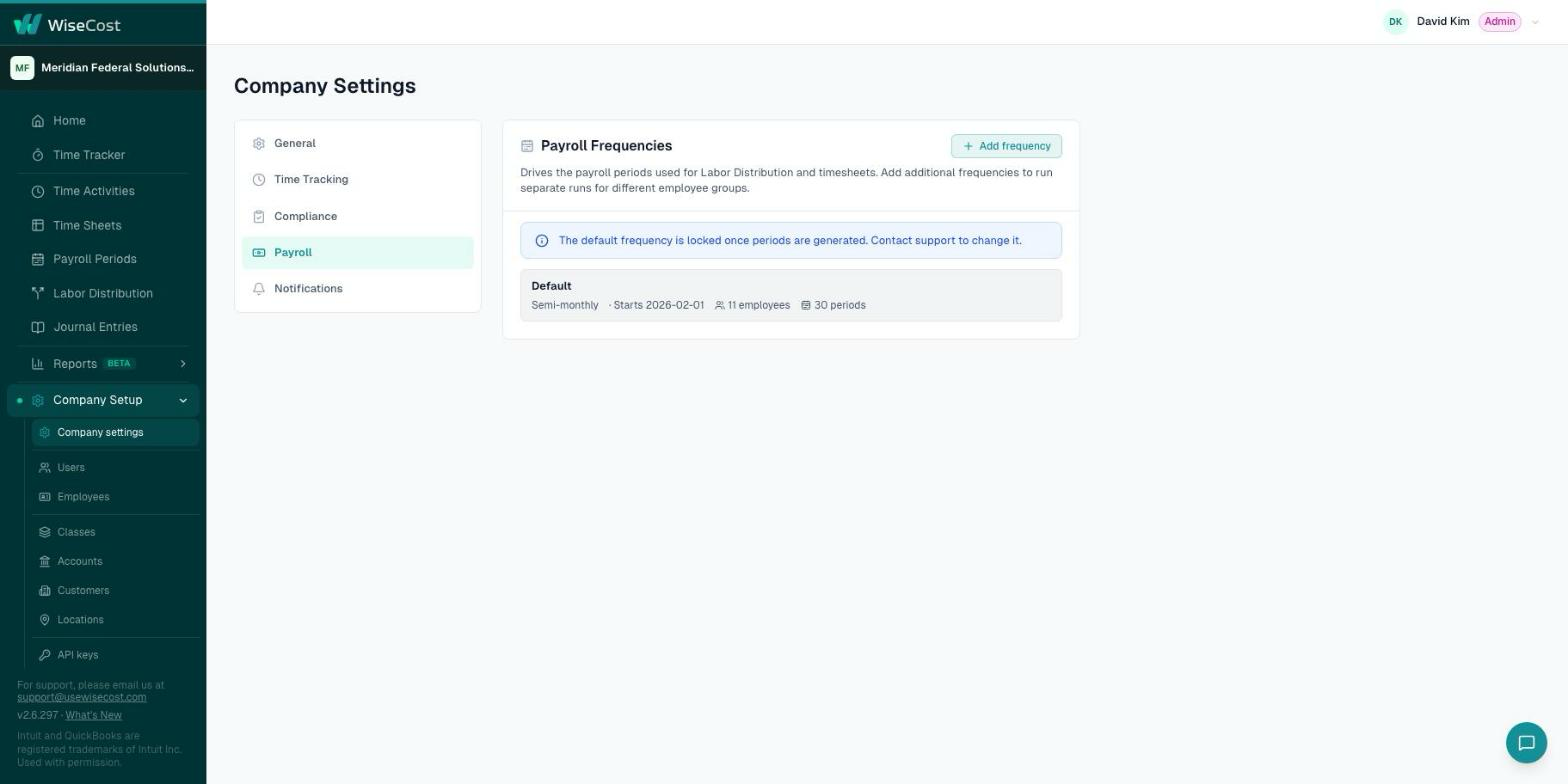
The default frequency is locked once its periods are generated. If it is wrong, write to support@usewisecost.com.
More than one frequency
If part of your team is paid on a different cycle, click Add frequency. Each employee is assigned to one frequency in Company Setup → Employees, in the Payroll frequency column, and each frequency gets its own periods and its own Labor Distribution runs.
The Payroll Periods page
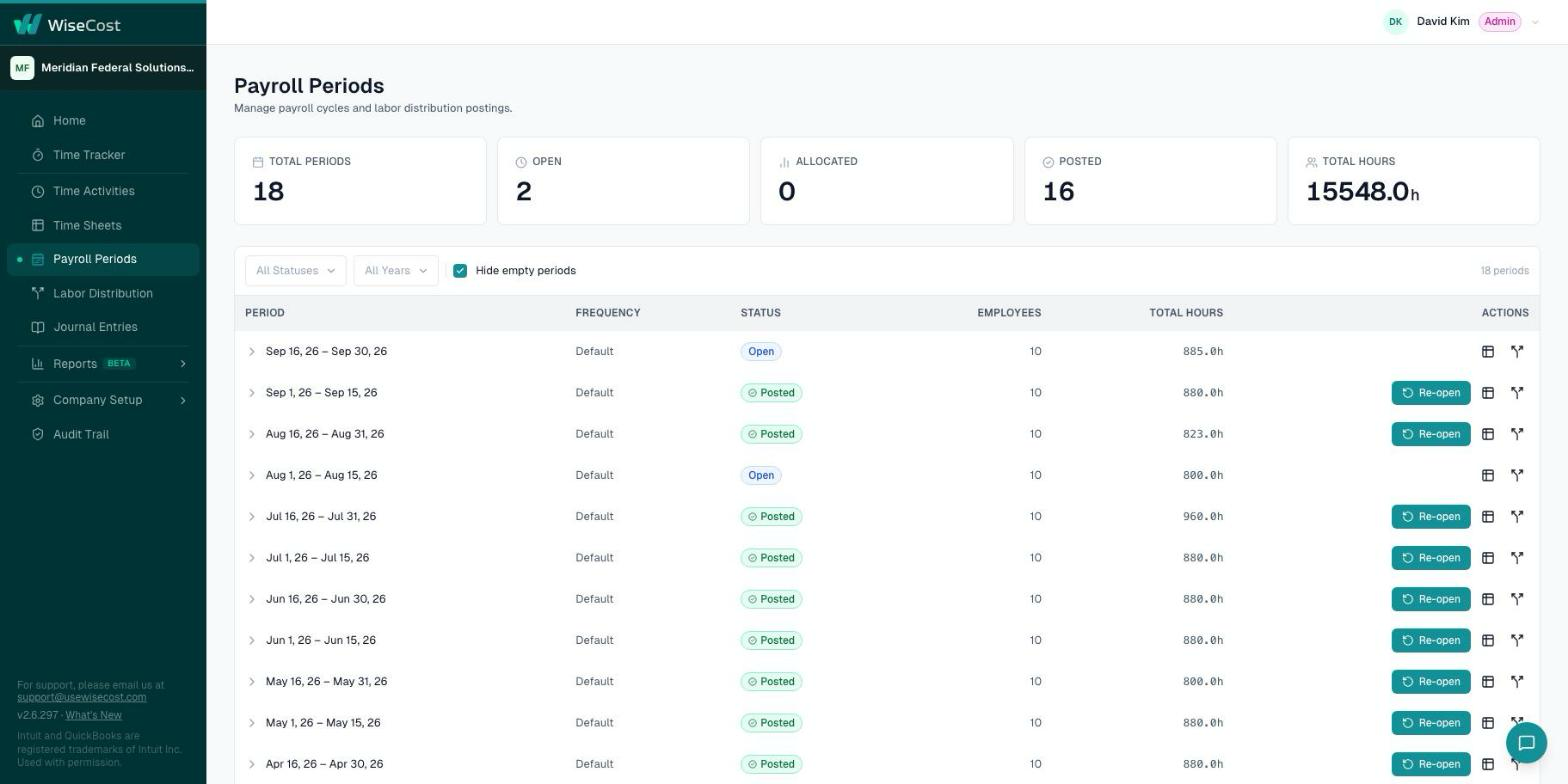
Payroll Periods in the sidebar lists every period with its totals and its status: Open until Labor Distribution posts it, Posted afterwards. A posted period has a Re-open action. See Reopening a payroll period or timesheet.
Common questions
Can I change the start date of my payroll frequency?
No. It is fixed once saved. Contact support if it has to change.
We pay on the 15th and the last day of the month. Which frequency is that?
Semimonthly, starting on day 1 or day 16.
Can salaried and hourly staff be on different pay cycles?
Yes. Add a second frequency and assign each employee to theirs.