Contract budgets and period of performance
Give each Class or Project a period of performance and a budget in hours or dollars. WiseCost blocks time outside the dates; the budget only informs.
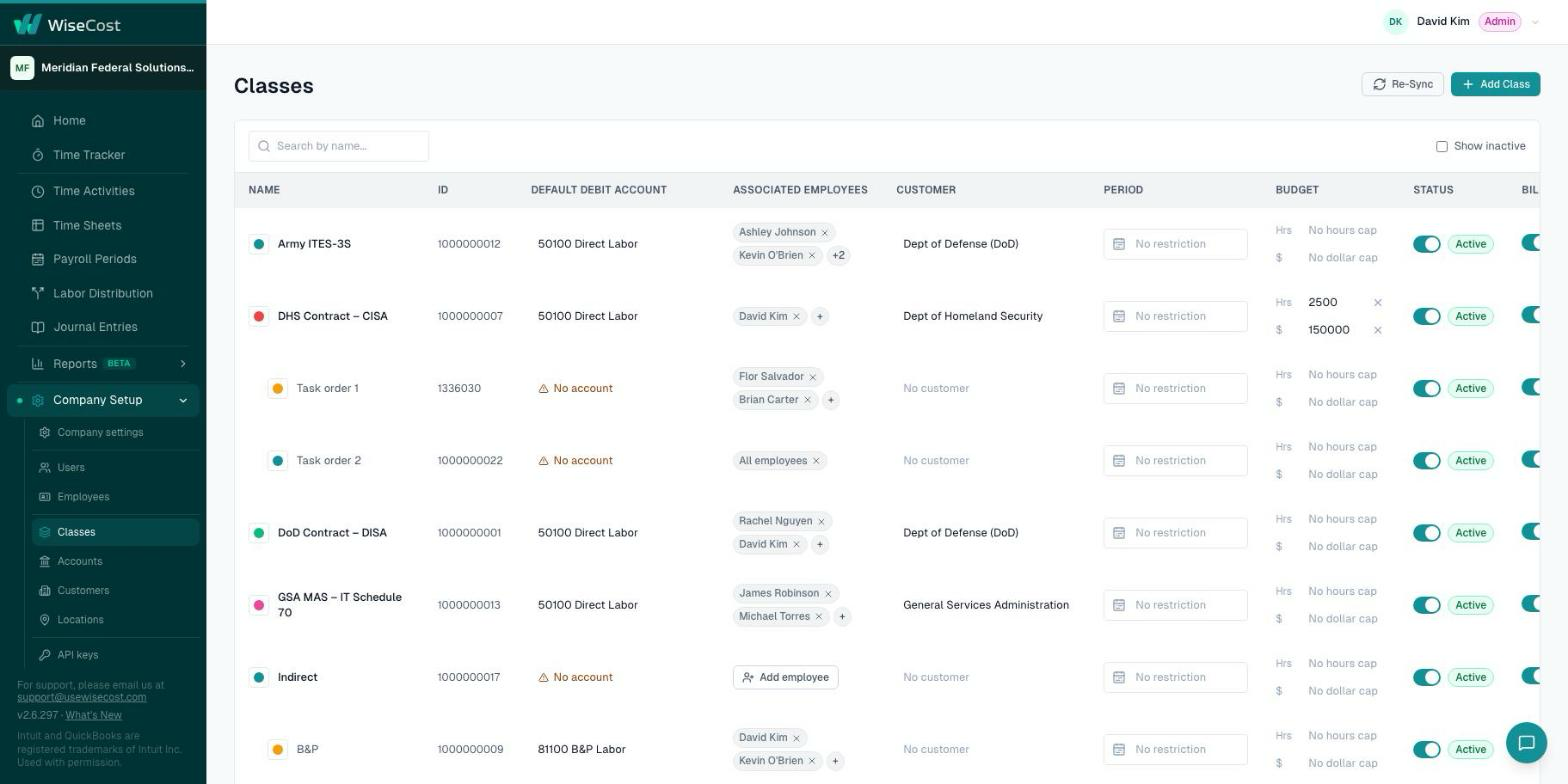
In WiseCost, each Class or Project can have a period of performance and a budget. Set them in Company Setup → Classes or Company Setup → Projects, in the Period and Budget columns. The period of performance blocks time outside its dates. The budget is a ceiling in hours, dollars or both, and it is informational: it never blocks an entry.
Who can do this: an Administrator.
Two definitions
- Period of performance: the start and end dates during which work can be charged to a contract or federal award. Work outside those dates generally cannot be charged to it.
- Budget: the ceiling of a contract or award, in hours, in dollars or both.
Set the period of performance
- Go to Company Setup → Classes, or Company Setup → Projects if your contract field is Project.
- In the Period column of the contract, choose the start date and the end date.
From then on, nobody can log time on that contract for a date outside the range. The date is rejected and the employee has to pick another contract or another date.
Set a budget
- On the same row, find the Budget column.
- Enter a ceiling in Hrs, in $, or both. Leave a field empty for no cap.
What happens next
When someone logs time on a contract with a ceiling, they see an indicator with the hours logged and approved against it. It informs. It never stops an entry, because going over a ceiling is a management decision, not a timekeeping error.
To follow every contract at once, run the Budget vs Actual by Contract report: logged hours, approved hours and actual dollars from QuickBooks Online, limited to each contract's period of performance.
For grants and federal awards
Under the Uniform Guidance, this is how you keep each award inside its dates and its budget: one Class or Project per award, with its period of performance and its ceiling in hours and dollars. See Setting up WiseCost for the Uniform Guidance.
Common questions
Does the budget stop employees from logging time when it runs out?
No. The budget indicator is informational and never blocks. Only the period of performance blocks, and only for dates outside its range.
What if a contract has no period of performance?
Time can be logged on any date, and the Budget vs Actual by Contract report shows its lifetime totals.
An employee cannot log time on a date. Is it the period of performance?
It may be. See I cannot log time on a date.