Approvers and supervisors: who can approve a timesheet
Assign each employee an approver and a backup approver in Company Setup → Employees. A team member named as approver becomes a Supervisor in WiseCost.
In WiseCost, each employee can have an approver and a backup approver. Assign them in Company Setup → Employees, in the Approver and Backup approver columns. Admins can always approve. A Team Member named as someone's approver becomes a Supervisor automatically: they see and approve only their team's timesheets and have no access to the rest of the company.
Who can do this: an Administrator.
The idea behind it
An approver is the person who signs off on an employee's timesheet. Both DCAA timekeeping and the Uniform Guidance expect that person to have direct knowledge of the work performed, which is usually the supervisor or project lead, not someone in accounting.
Who can approve what
| Role | Can approve |
|---|---|
| Administrator | Any timesheet in the company |
| Supervisor | Only the timesheets of employees who have them as approver or backup approver |
| Team Member | Nothing |
A Supervisor has no access to settings, pay, Labor Distribution or reports.
Assign an approver
- Go to Company Setup → Employees.
- On the employee's row, open Approver and choose the person.
- Optional: choose a Backup approver for when the approver is out.
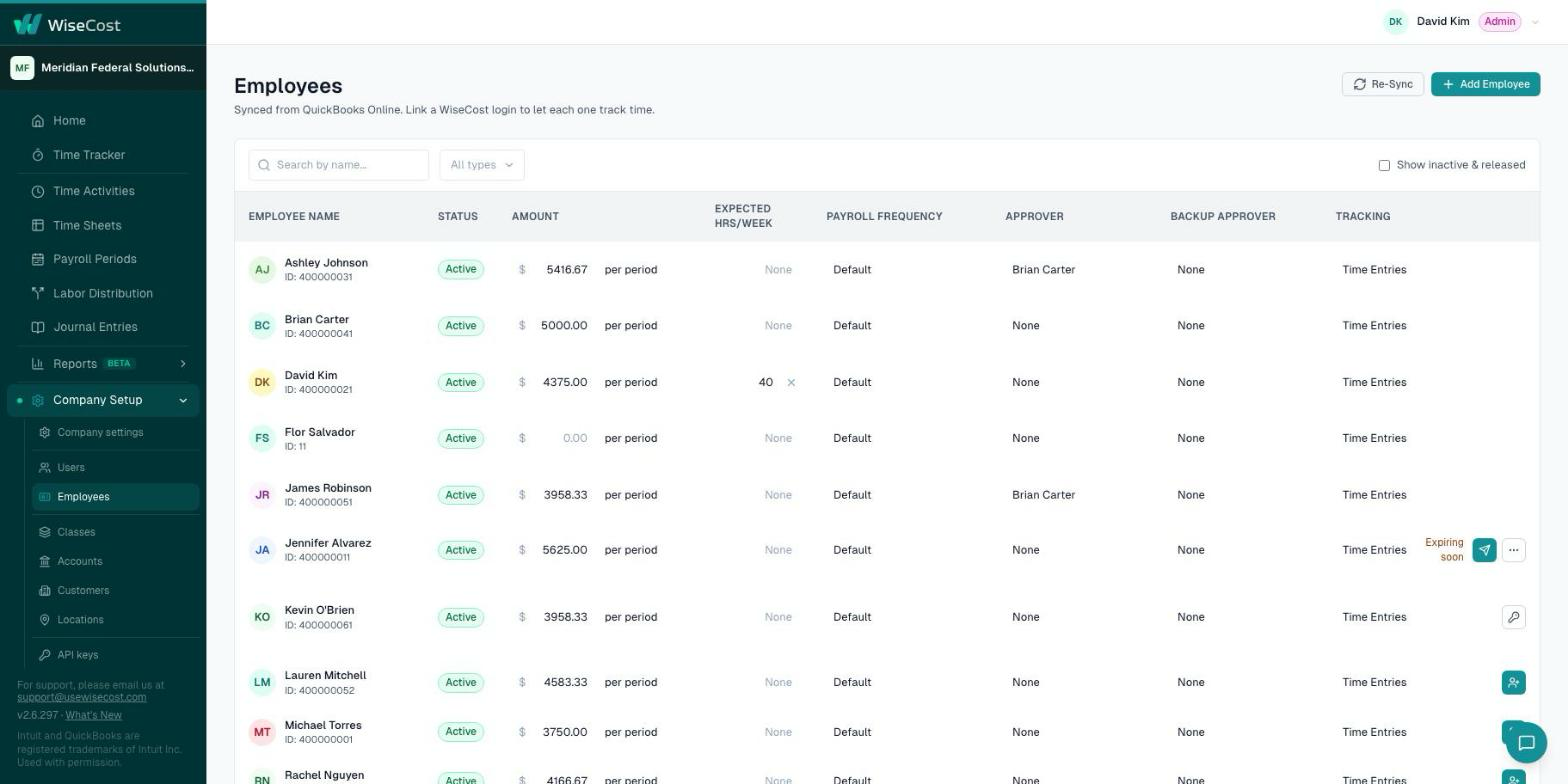
If the person you chose is a Team Member, WiseCost promotes them to Supervisor automatically. An employee with no approver assigned is approved by the company admins.
Rules that apply to every approver
They live in Company Setup → Company settings → Compliance, in the Certification and approval card:
- Require employee certification before approval: the employee has to submit the timesheet before anyone can approve it.
- Allow approving your own timesheet: when off, someone listed as their own approver cannot sign off on their own hours.
- Require a different approver: whoever entered hours on an employee's behalf cannot approve that timesheet.
Together they give you separation of duties. Both compliance presets set them to the strict position.
What happens next
Send your supervisors Approving and rejecting timesheets. To remind approvers about timesheets that are still missing, see Timesheet notifications and reminders.
Common questions
How do I make someone a Supervisor?
Name them as Approver or Backup approver of an employee. There is nothing else to do.
What can a Supervisor see?
Their own time, and the timesheets of their team. Nothing else in the company.
What happens if the approver is on vacation?
The backup approver can approve, and so can any admin.