P&L report by class, customer or project
The WiseCost P&L report groups profit and loss by class, customer or project, accrual or cash, and applies indirect rates for a fully loaded result.
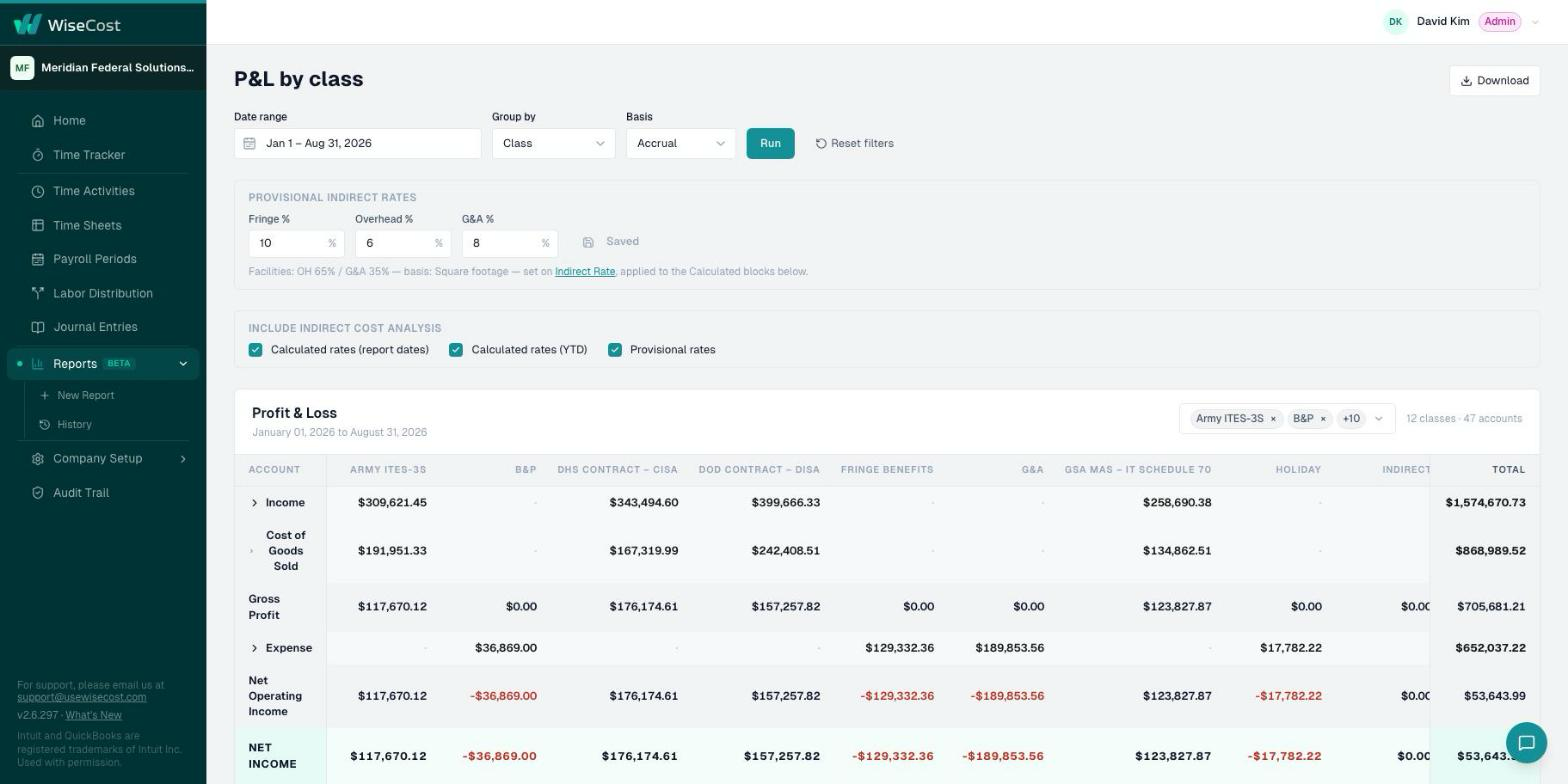
The P&L report in WiseCost is a profit and loss statement grouped by Class, Customer or Project, on an accrual or cash basis. Run it from Reports → New Report → P&L. It applies your indirect rates, provisional or calculated, to reach a fully loaded P&L: what each contract really costs once fringe, overhead and G&A are included.
Who can do this: an Administrator.
Why it is different from the QuickBooks Online P&L
QuickBooks Online shows revenue minus direct costs per class. A fully loaded P&L also adds each contract's share of indirect costs, which is the number that tells you whether a contract or program covers its real cost.
Run the report
- Go to Reports → New Report and click P&L.
- Choose the grouping: by Class, by Customer or by Project.
- Choose the basis: accrual or cash.
- Choose which indirect rates to apply: your provisional rates or the rates calculated from actuals.
- Run it.
Download
The Excel download keeps its formulas, so you can follow how each loaded amount was calculated. The report is also saved in Report History.
Where the rates come from
Calculated rates are the ones in the Indirect Rate report, which depend on the roles in Company Setup → Accounts.
Common questions
Can I see profit per customer instead of per class?
Yes. Group the report by Customer, or by Project.
What is the difference between provisional and calculated rates?
Provisional rates are the ones you set for billing during the year. Calculated rates come from your actual costs to date.
Further reading from the WiseCost blog
How to Calculate Indirect Rates in QuickBooks Online (and See True Cost by Contract)
How indirect rates work (pool over a base), how to apply them per contract, and why QuickBooks Online shows gross profit but not true, fully-loaded cost.
QuickBooks Online for Government Contractors: Can You Stay DCAA Compliant Without an ERP?
Can government contractors use QuickBooks Online and still pass a DCAA audit? Yes — but not without addressing specific gaps. This guide covers what QuickBooks Online handles, where it falls short, and your options for closing the gap.
Reviewed by a CPA