Connect WiseCost to QuickBooks Online
Connect WiseCost to QuickBooks Online with one Intuit authorization. It imports accounts, employees, classes, customers, projects, items and locations.
To connect WiseCost to QuickBooks Online, click Connect to QuickBooks during onboarding, sign in to Intuit as an admin of your QuickBooks Online company and approve the permissions. WiseCost then imports your accounts, employees, contractors, classes, customers, projects, items and locations. It takes about a minute and nothing is changed in QuickBooks Online during the import.
Who can do this: an Administrator in WiseCost who is also an admin of the QuickBooks Online company.
Before you start
- You need admin access to the QuickBooks Online company you want to connect.
- You can start without it. WiseCost lets you create local employees and classes and connect QuickBooks Online later. Read Using WiseCost before you connect QuickBooks Online first, because local records do not merge with the ones that arrive later.
Connect your company
- Start the connection. During onboarding, click Connect to QuickBooks. If you skipped that step, the pages under Company Setup show a banner that lets you connect.
- Sign in to Intuit. Use the credentials of a QuickBooks Online admin and choose the company.
- Approve the permissions. Intuit shows what WiseCost is asking for. Confirm.
- Wait for the import. WiseCost imports accounts, employees, contractors (1099 vendors), classes, customers, projects, items and locations.
What happens next
Open Company Setup → Company settings → General. Under Integrations, QuickBooks shows as Linked.
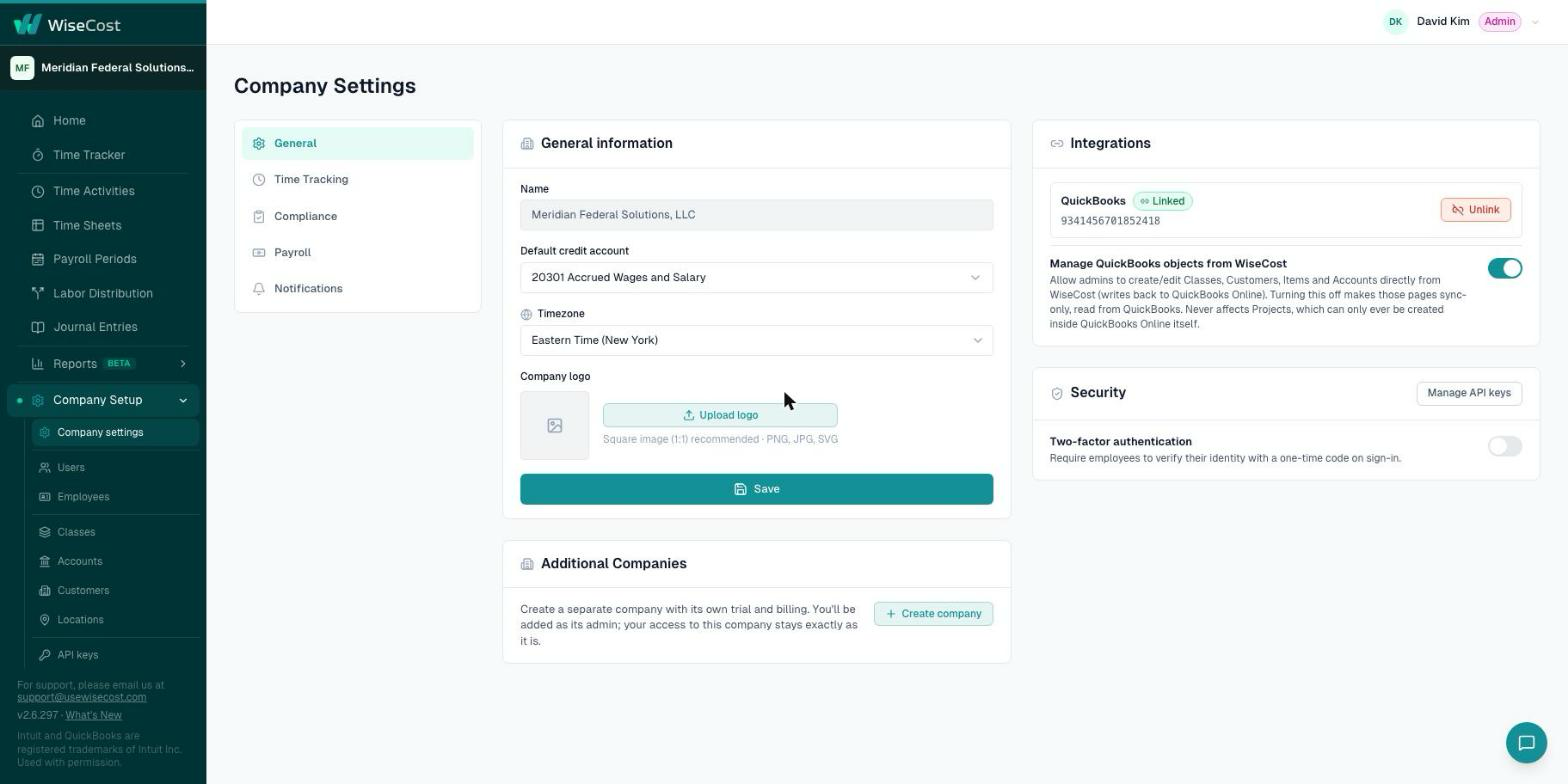
From now on, changes you make in QuickBooks Online reach WiseCost on their own. Every page under Company Setup also has a Re-Sync button to pull the latest data on demand. WiseCost keeps the connection alive, so you do not need to authorize it again in normal use.
Changing the connection
A company cannot switch itself to a different QuickBooks Online company. If you connected the wrong one, write to support@usewisecost.com.
Common questions
Does WiseCost change my QuickBooks Online data?
The import only reads. After that, WiseCost writes to QuickBooks Online in two cases: when you post a labor distribution journal entry or send time activities, and when an admin creates or edits a class, customer, item or account from WiseCost with Manage QuickBooks objects from WiseCost turned on.
Can I use WiseCost without QuickBooks Online?
You can start without it, with local employees and classes, and connect later. Posting journal entries needs the connection.
My plan is QuickBooks Online Essentials and it has no Classes. Can I still use WiseCost?
Yes. Companies on QuickBooks Online Essentials can work with local classes created in WiseCost.